

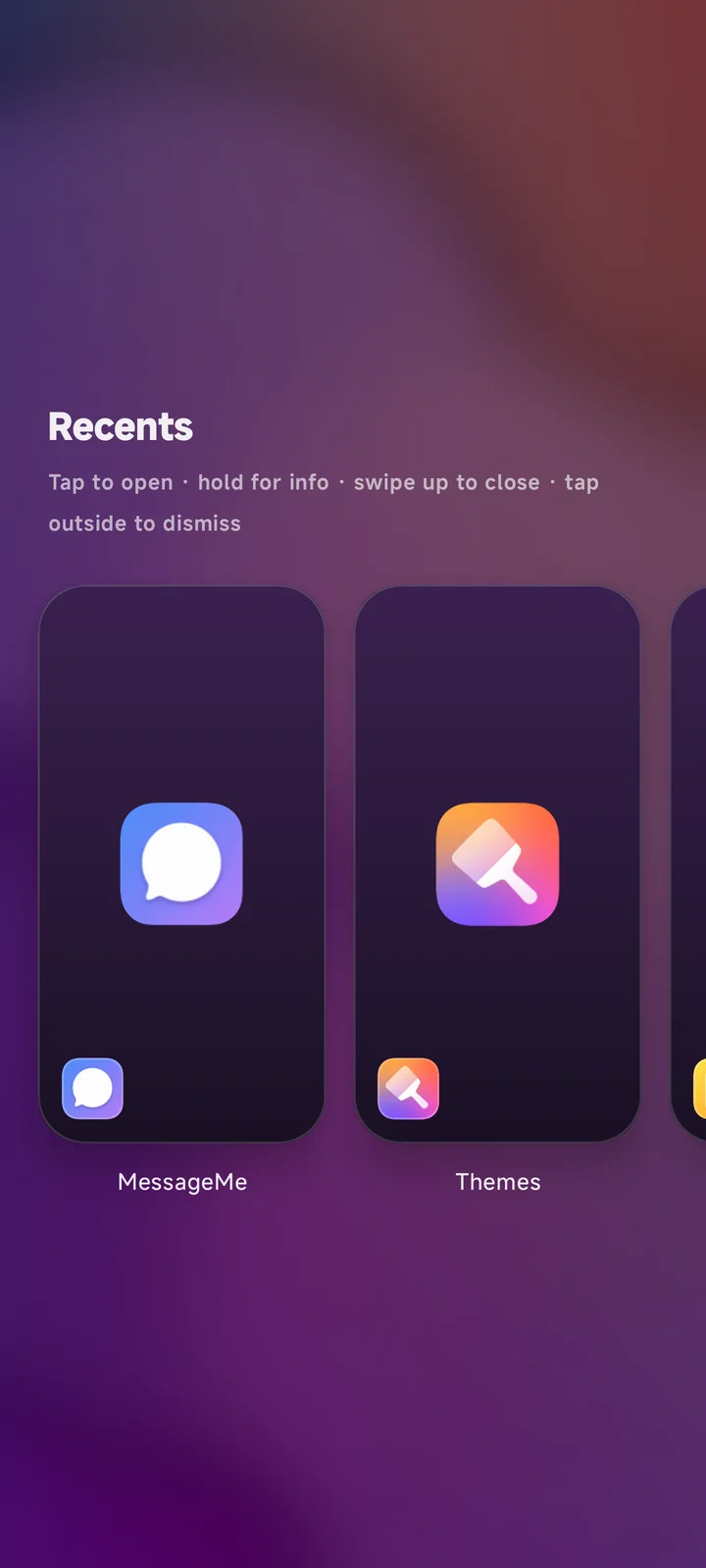
Launcher-owned Recents
Swipe up into Cards or Spread, browse freely, then tap to open or flick upward to close.
Android Home, rebuilt
Adaptive docks, App Maker web apps, launcher-owned Recents, and a wallpaper-first Home in one focused Android launcher.
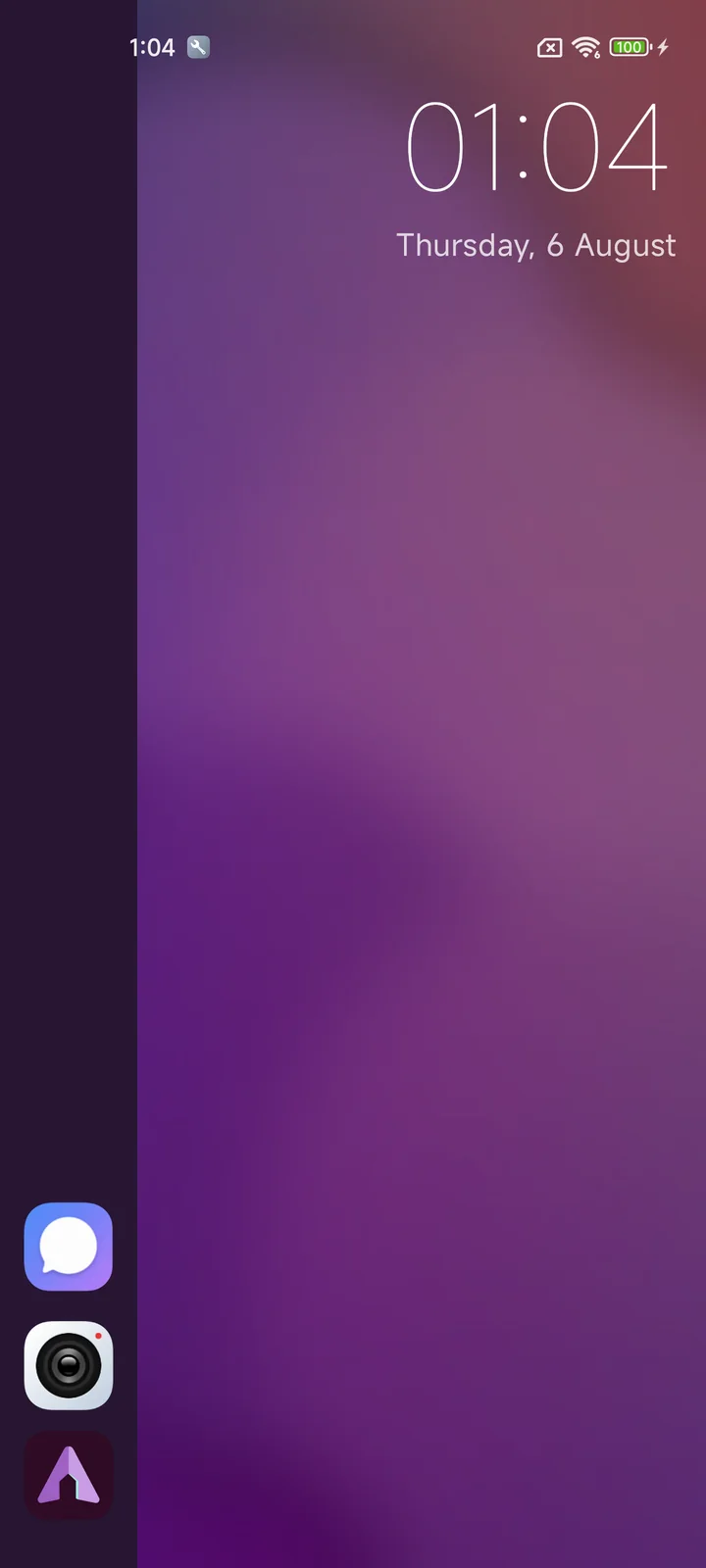
Captured from the running Android build after the latest dock, drawer, App Maker, and Recents work.
The gesture layer
Swipe up into Cards or Spread, browse freely, then tap to open or flick upward to close.
A narrow edge leaf with a white chevron grows from the bezel and follows the finger.
Distinct tactile cues mark start, threshold, and commit.
Grant Accessibility during setup and the global edge dock is ready above other apps.
A focused Home surface with two dock styles and a global edge dock that is ready from setup.
4 capabilitiesStart with a bottom-aligned edge rail sized around clear 52 dp app icons.
Switch to a smaller dock while the wallpaper remains edge to edge.
Reveal the same dock over other apps; it is enabled by default after permission setup.
Tune size, weight, placement, and an optional second city with a live preview.
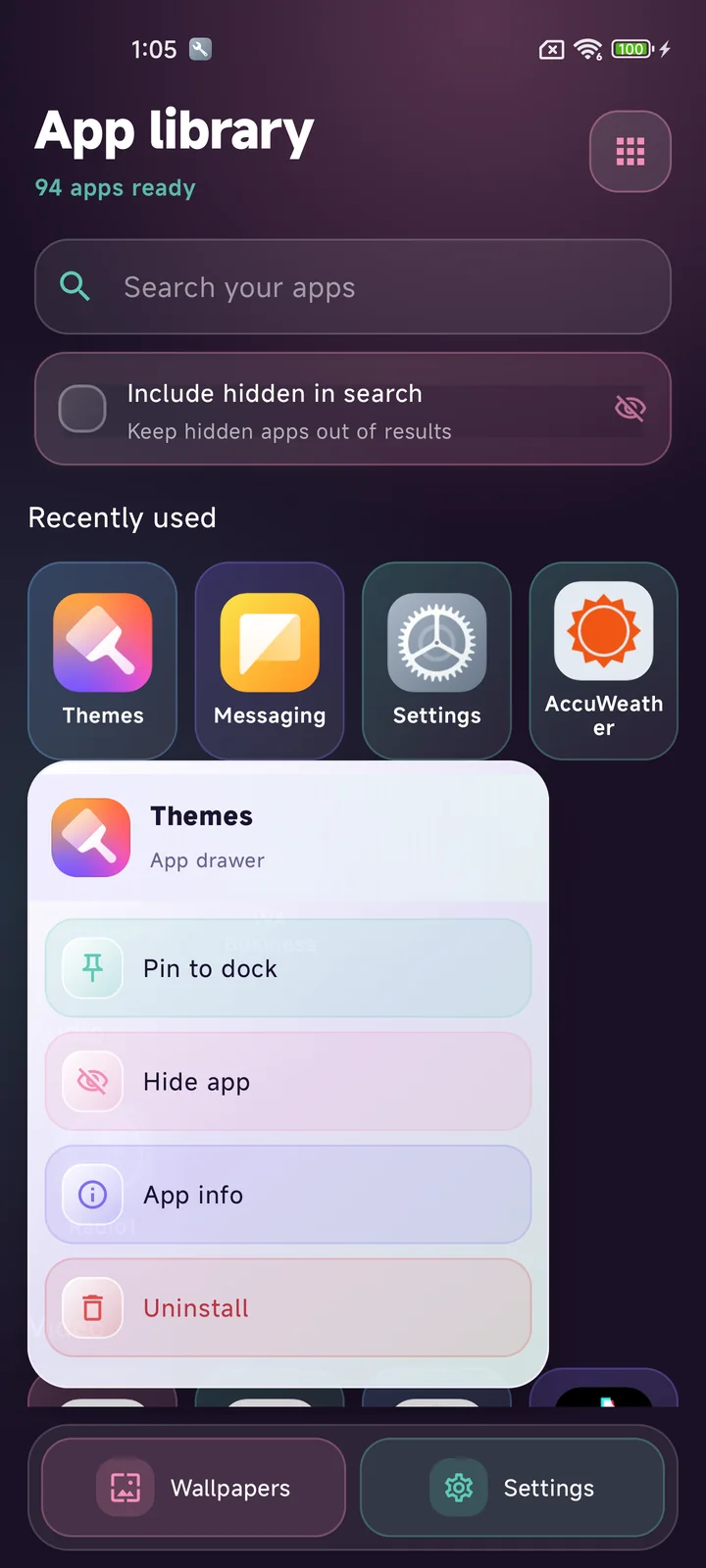
Find apps by name, category, or recent use, then act through compact one-column menus.
4 capabilitiesFilter instantly or group the catalog by category, A-Z, or last use.
Keep recently used apps in the drawer and running apps above dock favorites.
Remove rarely used apps without uninstalling them, and include them in search on demand.
Pin, hide, inspect, or uninstall from a clear pastel action menu.
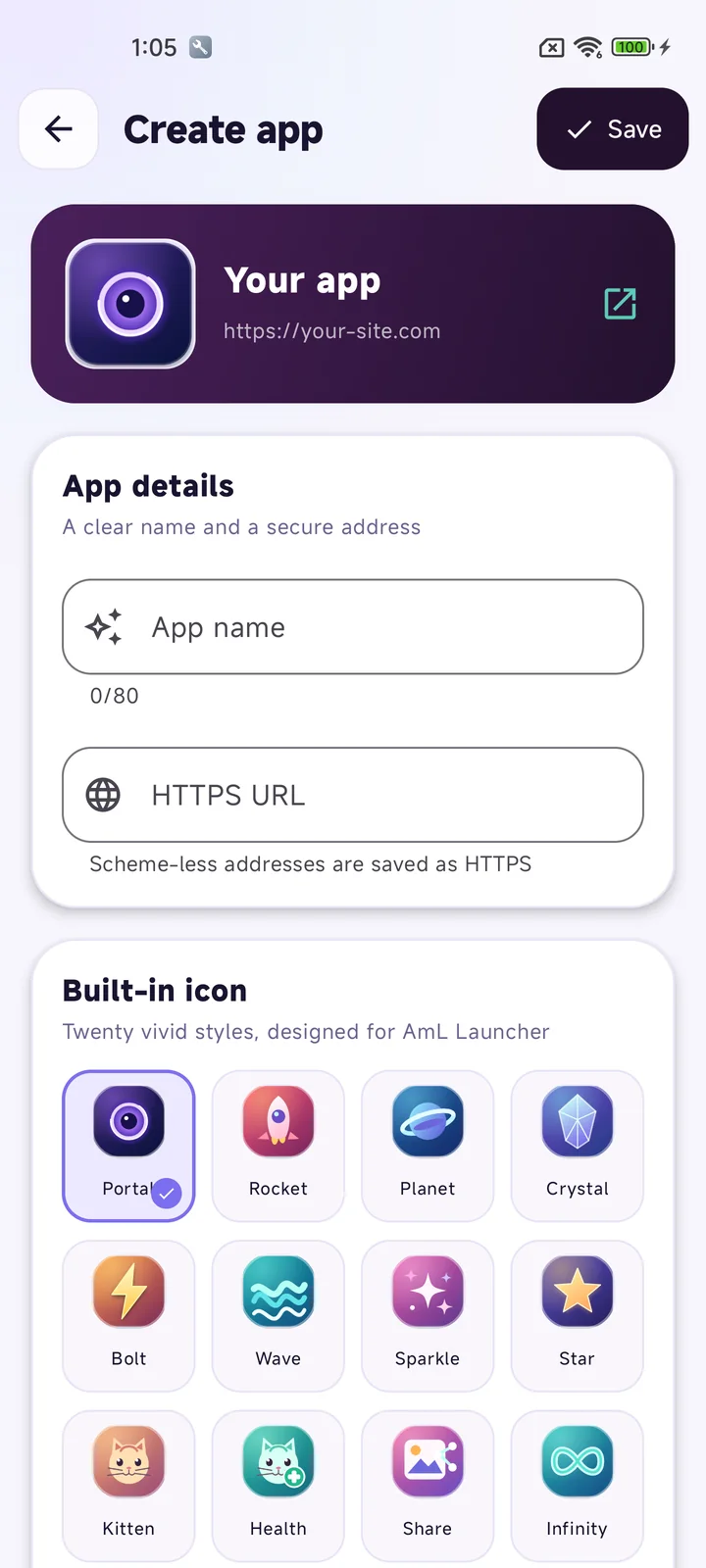
App Maker gives a favorite HTTPS site its own name, icon, drawer entry, and fullscreen home.
4 capabilitiesOpen trusted HTTPS addresses inside a focused, secure in-app browser.
Choose Portal, Kitten, Health, Share, Infinity, and other vivid launcher-ready marks.
Pick a photo, then zoom, move, and crop it before saving the app.
Search, pin, reorder, edit, and delete web apps like installed Android apps.
Live gestures feed a launcher-owned switcher with two layouts and useful app actions.
4 capabilitiesChoose a flat card strip or an Ubuntu Touch-inspired dimensional stage.
Show the latest launcher-captured still on each switcher card, with optional blur.
Tap a card to return to it or swipe upward for best-effort close and removal.
Use a tapered edge leaf with a white chevron for Back, plus velocity-aware swipe-up Recents.
Start with AmL purple, then shape wallpaper, dock, and settings without adding noise.
4 capabilitiesThe bundled silk-like wallpaper gives Home a finished look immediately.
Browse AmL collections, tune opacity, and rotate a multi-photo playlist.
Adjust Home through MessageMe-style pastel pages, live previews, and clear permissions.
Check dedicated launcher manifests and verify every APK with SHA-256.
AmL Launcher keeps preferences and App Maker entries local, and contacts AmL only for wallpapers and verified updates.
Download the current Android build from the shared AmL release channel.
Download APKCompact and full-height docks keep favorites and running apps close, with the global dock available over other apps
App Maker turns HTTPS websites into fullscreen, dockable apps with custom names and built-in or gallery icons
The app drawer supports instant search, categories, recent apps, hidden apps, and polished one-column action menus
AmL Recents offers Cards and Spread layouts, saved previews, fluid swipe navigation, and swipe-up app closing
Home includes the AmL purple wallpaper, wallpaper collections and rotation, plus adjustable clock and dock layouts
Guided setup and AMLUI settings provide clear permissions, updates, and MessageMe-style controls
Android 8+ support. Designed around modern Android and HyperOS.